 College
 Unlock The Full Power Of AI With Nyno And Custom System Prompts
You might not want to over-explain yourself in every prompt.
Especially when you use the same workflow many times.
System prompts solve this.
No more over-explaining.
It's like prepending instructions to each message.
For simplicity, we mostly use system prompts for that, even though you could also prepend instructions to the user prompt since it's all just tokens in the end.
Example of system/user prompt conversation:
[
    {
        "role": "system",
        "content": "You expand any idea I tell you with more relevant expert-level information. Make it so every line makes me curious to read the next line. It should be like a short blog post for entrepreneurs to get even more ideas."
    },
    {
        "role": "user",
        "content": "I think LLMs have reached their limit, what we need is more deterministic workflows."
    }
]
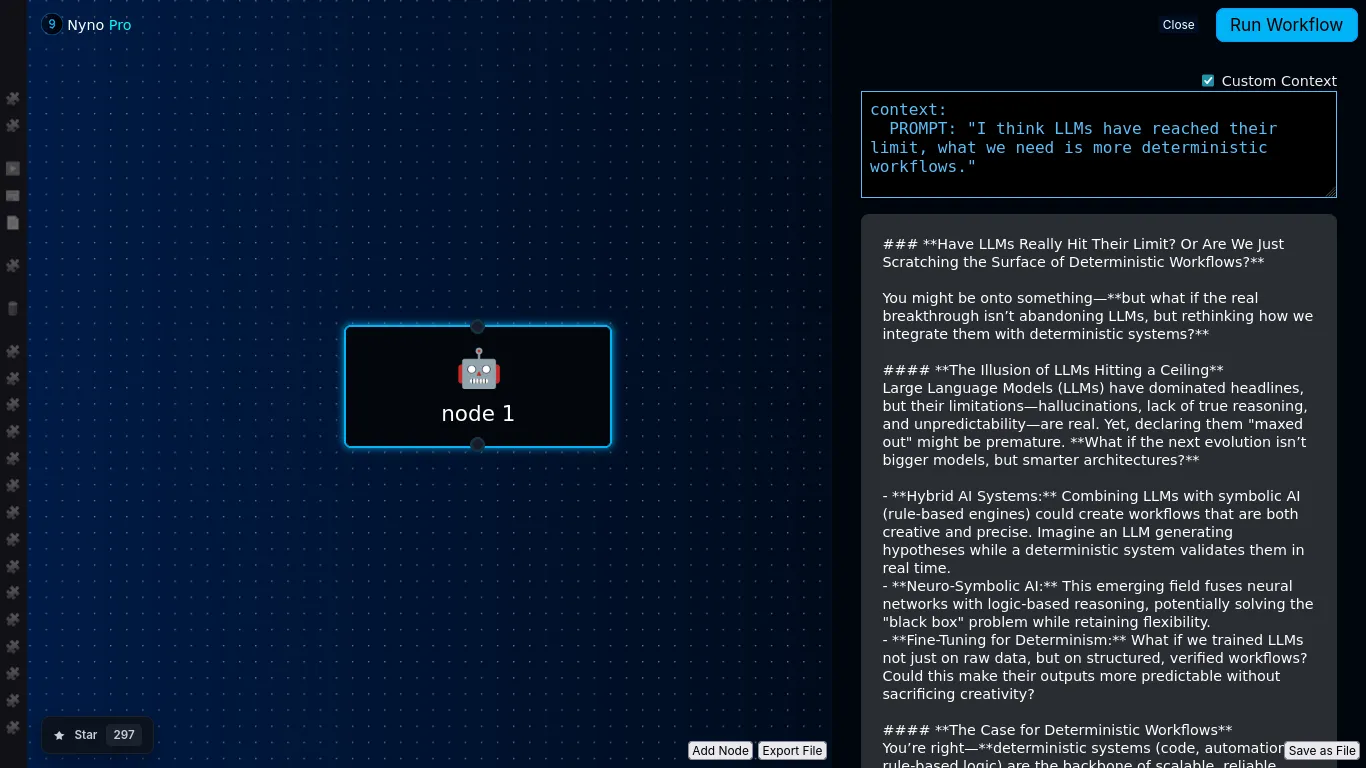
This will output an article like:

How to set custom system prompts in Nyno?
We can use custom system prompts in Nyno in the following way:
- Click on "Add Node"
- Select an AI step, like ai-mistral-text
- Use the following context:
- step: ai-mistral-text
  context:
    SYSTEM_PROMPT: "You expand any idea I tell you with more relevant expert-level information. Make it so every line makes me curious to read the next line. It should be like a short blog post for entrepreneurs to get even more ideas. "
  args:
    - "${PROMPT}"
The ${PROMPT} variable can be set in the GUI by clicking 'Custom Context'.
Try It Online
You can try Nyno here: https://europe.nyno.dev
Get a free MISTRAL_API_KEY (European AI) here: https://console.mistral.ai
Did it work?
🥳 Congratulations! You have now build your first AI workflow with a custom system prompt, and you can send any prompt to it!